
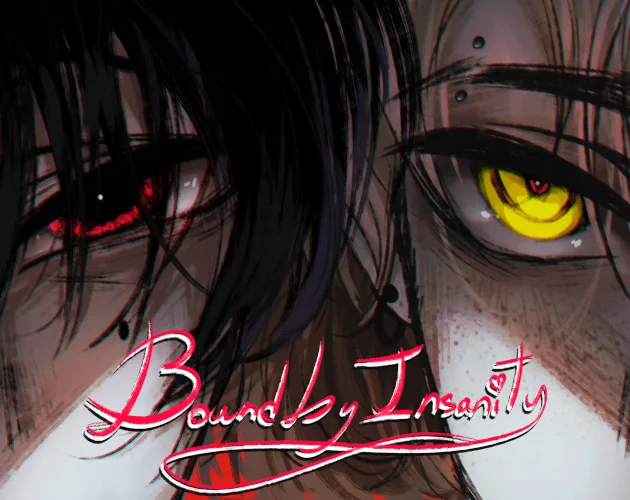
A story we read, rather than race through
Bound By Insanity is a dark visual novel demo built around a defined young woman, her relationships, and two central characters: Miles Falken and Adrien Lockhart. We move through narration, dialogue and illustrated scenes, with occasional replies rather than a constant stream of decisions. The useful first goal is to understand an encounter: who is speaking, what the protagonist notices, and what actually changes after the next line. There is no reason to approach the opening as a speed challenge.
The artwork shifts between rough black-and-white drawings, torn-paper panels, isolated close-ups and fuller coloured scenes. A dark screen can be part of a transition or a text-led passage. When words are still appearing, we can stay with the panel instead of repeatedly clicking the background. The contrast between a face, a gesture and a narrated thought carries information that would be easy to miss if we treated every click as merely a way to reach the next picture.
This is a demo, with a story still in development. A reply can change the immediate exchange without opening a finished character route. We should keep the playable stopping point separate from plans for later acts, and avoid assuming that a dramatic conversation is a named good or bad ending. The Characters page helps us read the cast without revealing hidden histories; Endings explains how to think about the demo’s choices and its current limits.
Our first few minutes in the player
Open the game deliberately
Select Play Now on the cover. This creates the game window. Allow the loading screen to finish, then read the game’s own mature-content warning before confirming that you want to continue.
Start inside the game
Choose Start in the torn-paper menu. If a keyboard command does nothing, first click inside the game area so that the game, rather than the surrounding webpage, receives focus.
Let the passage finish
Read the text as it appears. The small heart at the end of a completed passage is a useful cue; a long panel may need another advance to reveal more text before we are ready to move on.
In the opening birthday narration, text can expand within the same panel. A first advance may complete or extend the visible passage rather than replace it with a new scene. We can read the beginning, watch for the remainder, and wait for the heart before advancing again. That rhythm makes more sense than counting clicks: a short reply and a longer internal thought need different amounts of attention.
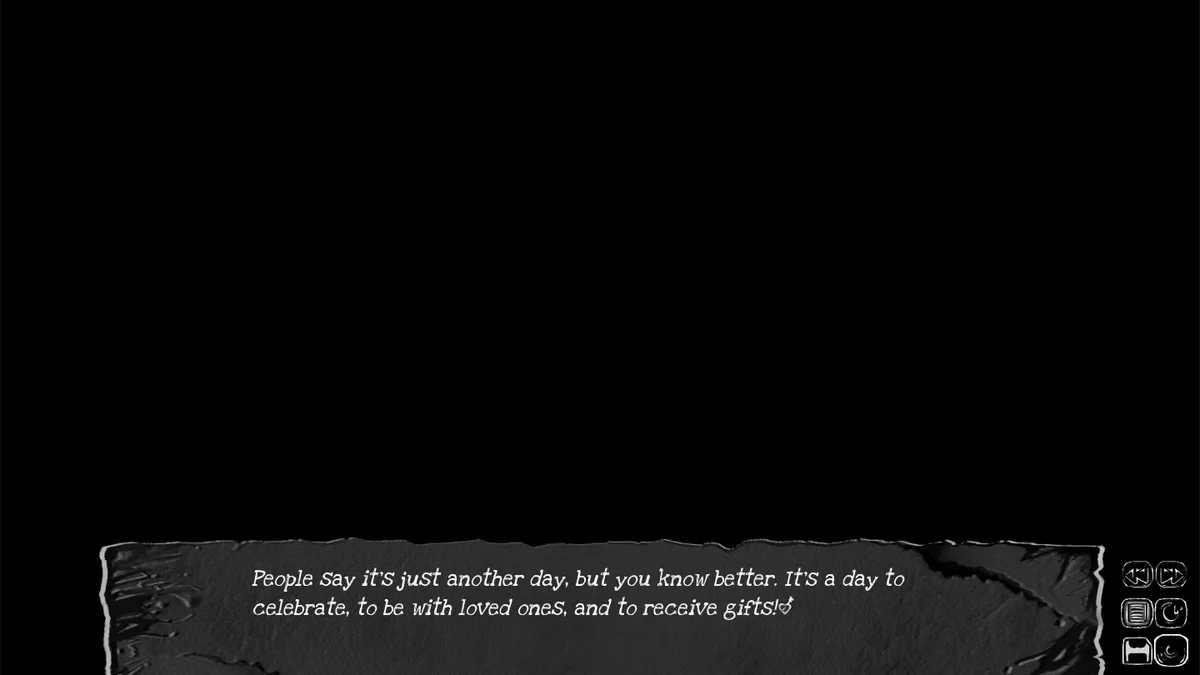
On a keyboard, Enter advances the reading sequence once the game has focus. Clicking is also part of the reading flow. H hides the dialogue panel and its quick controls; H again restores them. This is useful for looking at an illustration, but it is not a skip command. When a panel suddenly disappears, we can check whether it was hidden before assuming the game failed to load.
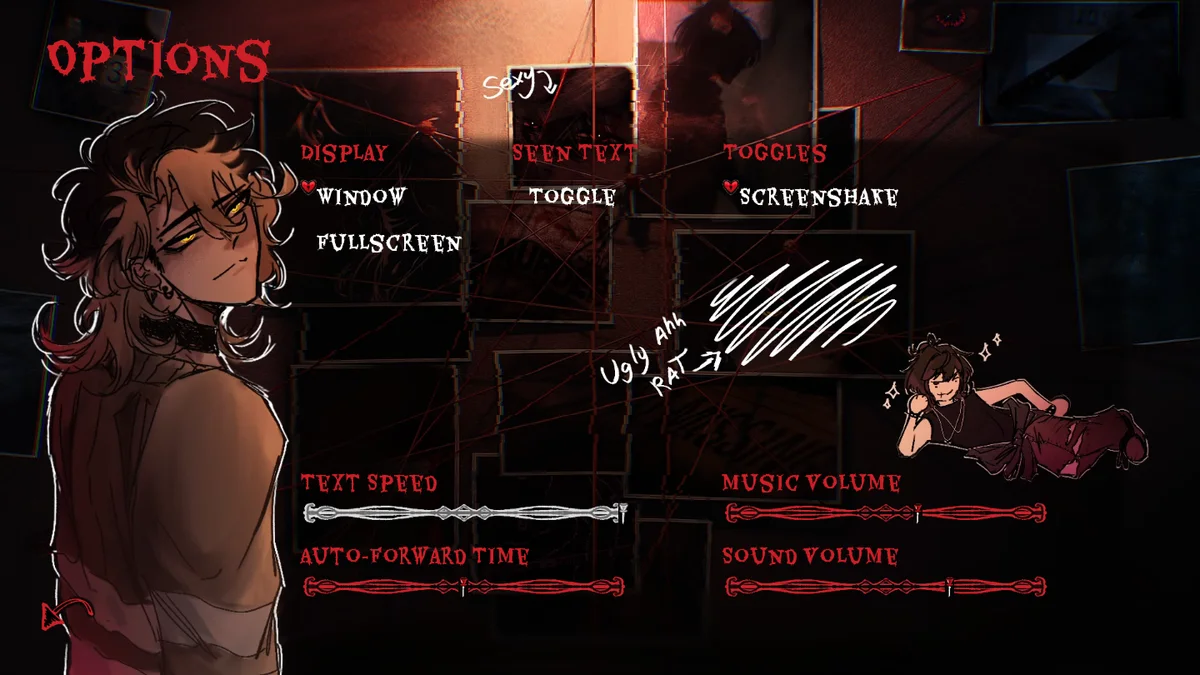
Options contains Text Speed and Auto-Forward Time as separate settings. Text Speed changes how the words reveal themselves; Auto-Forward Time concerns automatic progression. We can adjust the first to make a paragraph comfortable before experimenting with automatic reading. Window and fullscreen settings inside the game are separate from the two controls beneath this site’s player.
What we watch during a conversation
We get more out of an encounter when we separate three things: spoken dialogue, the protagonist’s own narration, and visible actions. A speaker label tells us who owns a line. A change in pose may add context, but it is not itself an answer button. When Miles appears in the living-room conversation, the scene gives us both practical gestures and the protagonist’s reaction to them. We can acknowledge a gesture without treating it as proof that every intention behind it is harmless.
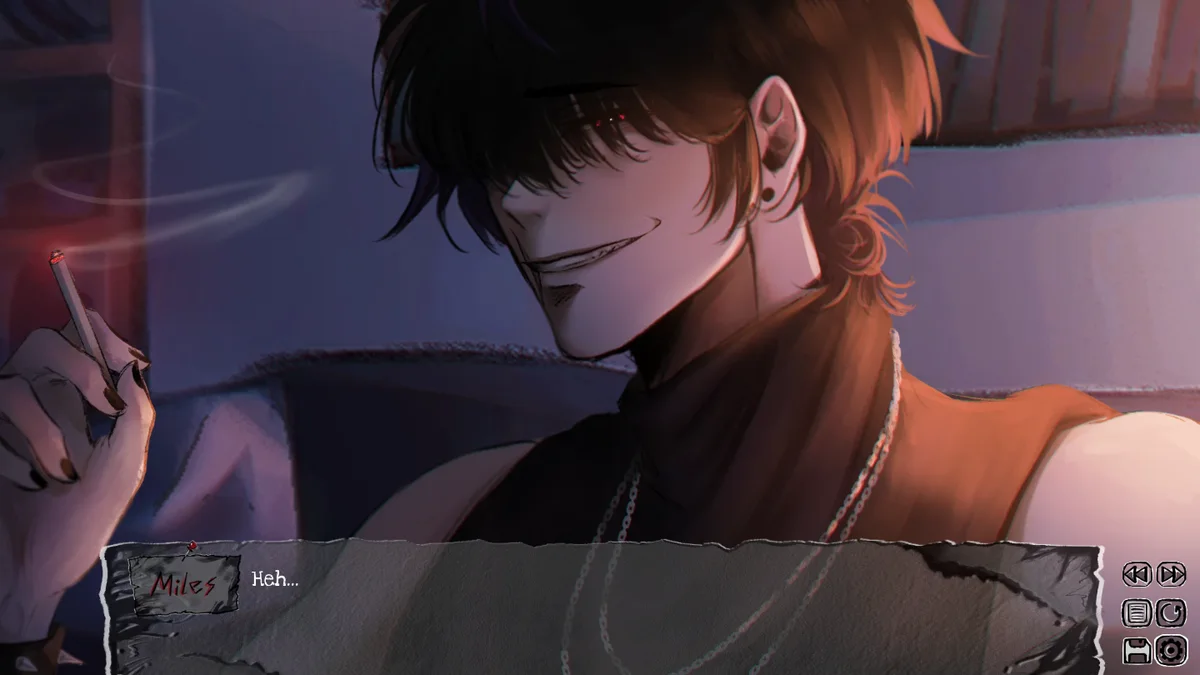
Miles and Adrien are not interchangeable portraits. Miles’s exchanges have a more outwardly sharp, familiar edge; Adrien’s introduction leans on quietness and the unease of being noticed. Those differences give us a way to pay attention, rather than a shortcut to deciding who is safe. We can compare how each character handles distance, questions and the protagonist’s discomfort, while leaving concealed histories for the story to disclose in its own order.
The protagonist also has a personality, history and reactions of her own. Naming her does not turn every line into a blank self-insert response. When her interpretation differs from ours, we can read that difference as part of the story. It helps to ask what she knows at that moment, rather than judge an early scene using a revelation that belongs much later.
A useful first-session habit is to pause when the image changes from a full scene to an eye, hand or torn-out detail. Read the next complete passage and connect it to that change. We do not need to invent a hidden numerical system to make those moments meaningful. The immediate comparison is concrete: what did we see, what did someone say, and how did the protagonist respond?
Replies, progress and the demo’s limits
When a real choice appears, we can read every available reply before selecting one. A reply printed in the dialogue panel is ordinary story text, not necessarily a choice we can click. This distinction matters because the demo spends much of its time in continuous narration. Searching every line for an invisible route trigger can make a straightforward reading sequence feel needlessly confusing.
For a purposeful replay, choose one encounter and compare its immediate response. Remember the situation before the reply, choose an alternative when the game permits it, and look at the next dialogue or reaction. We can learn something about tone from that comparison without claiming that we have unlocked a finished ending. An unchanged later scene is also useful information: not every local variation has to split the entire story.
The revised demo added choices and reading controls while retaining the same story stopping point. Later character routes are plans for development, not a set of completed outcomes we can promise here. A video carrying an “all routes” title does not change that boundary. Our Endings page focuses on what we can actually do now: recognize a reply, interpret a local result, and choose a sensible reason to reread.
Progress is chiefly narrative. We are following scenes to the end of the available material, not filling a score bar or defeating a sequence of enemies. We should not interpret the absence of another chapter as a punishment for picking the wrong dialogue. Equally, a return to the menu alone does not identify an ending: a manual exit and the end of a recorded session can look similar without the preceding context.
Recover a missed line before restarting
If we advanced past a passage, the first recovery attempt should be small. An upward mouse-wheel step can roll back to earlier text, and the current quick menu includes a rollback control. In the opening birthday passage, a single upward step restores the previous completed paragraph. We can reread that paragraph, then return to advancing deliberately. Restarting the whole story would discard far more context than this local correction needs.
History and rollback solve different reading problems. History lets us inspect earlier dialogue; rollback returns the running reading state to an earlier point. We should use a reading log to find a missed line, and a supported rollback when we need the actual earlier state. Neither should be described as a promise that every past decision can be changed indefinitely. If recovery appears to do nothing, confirm the game window has focus, wait for text that is still revealing, and match the control to the problem: History to inspect a line, rollback to restore an earlier state.
If a key does nothing or a line seems stuck, check focus, the H toggle, text speed and a single rollback before restarting the story. Those smaller corrections leave the current session in place. The game’s save and load controls belong to its own version and storage. We should use them deliberately rather than assume that closing a tab, changing browsers or opening a new device will preserve a session.
There is also a specific version boundary: the demo revision changed code and its save directory, so older saves may not carry into that revised edition. That is different from simply hiding the dialogue or returning one passage. If a save belongs to another version, retrying the same incompatible file is unlikely to fix it. Starting a fresh session may be necessary; it does not mean the character route was lost because of a reply.
Make the window fit the way we are reading
Webpage Fullscreen expands the player within this page. Browser Fullscreen asks the browser to enter its own fullscreen mode. The controls have different icons and purposes; Escape provides a way back. We can use the page mode when the surrounding article is distracting, and the browser mode when we want more screen space. Neither setting changes text speed, story choices or the amount of material in the demo.
If the game window opens but a key has no effect, click inside it and try one advance. On smaller screens, turn the device when the dialogue or quick controls are cramped, and zoom only if it leaves the whole interface reachable. The browser version’s touch behavior and save persistence can differ from a downloadable build. We should not assume that a desktop shortcut automatically has a touch equivalent.
A loading failure is separate from a narrative pause. The player reports a timeout or failure and offers a retry; a fully displayed passage with a completion heart is a reading state. If loading fails, retry once after checking the connection. If it keeps failing, we can still read the articles without repeatedly restarting the window. Some browser extensions or network filters can interfere with embedded games and videos.
Audio can also require an interaction before the browser allows it. The game has separate music and sound-volume controls in Options. We can check those after clicking into the game, rather than raise the device volume repeatedly. Written dialogue remains the central reading task; silence alone is not evidence that a choice or scene has failed.
Questions before our next session
Is Bound By Insanity a complete released story?
It is a demo in development. We can read the available material, but later acts and major character routes should not be treated as already playable endings.
Can we change the protagonist’s name?
A name-entry prompt appears in the opening. The protagonist still has a defined appearance, personality and history; a different name does not rewrite that role.
Why does another click reveal more text in the same panel?
Long passages can expand before they are complete. We can read the added text and use the heart at the end as a completion cue instead of assuming that every click must change the scene.
Did we lose because the demo stopped?
Reaching the available story boundary is not the same as losing a scored game. We should distinguish an actual story outcome from the end of the demo, a manual exit or a video cut.
Does a gentle reply guarantee a safe relationship?
No such guarantee follows from the observed dialogue. We can compare the immediate reaction while leaving the character’s concealed motives and future route outcomes unresolved.
Will the same save work after a game update?
Save compatibility depends on the version. The revised demo changed its save directory and code, so older saves may not transfer. We should keep that edition change separate from ordinary text recovery.